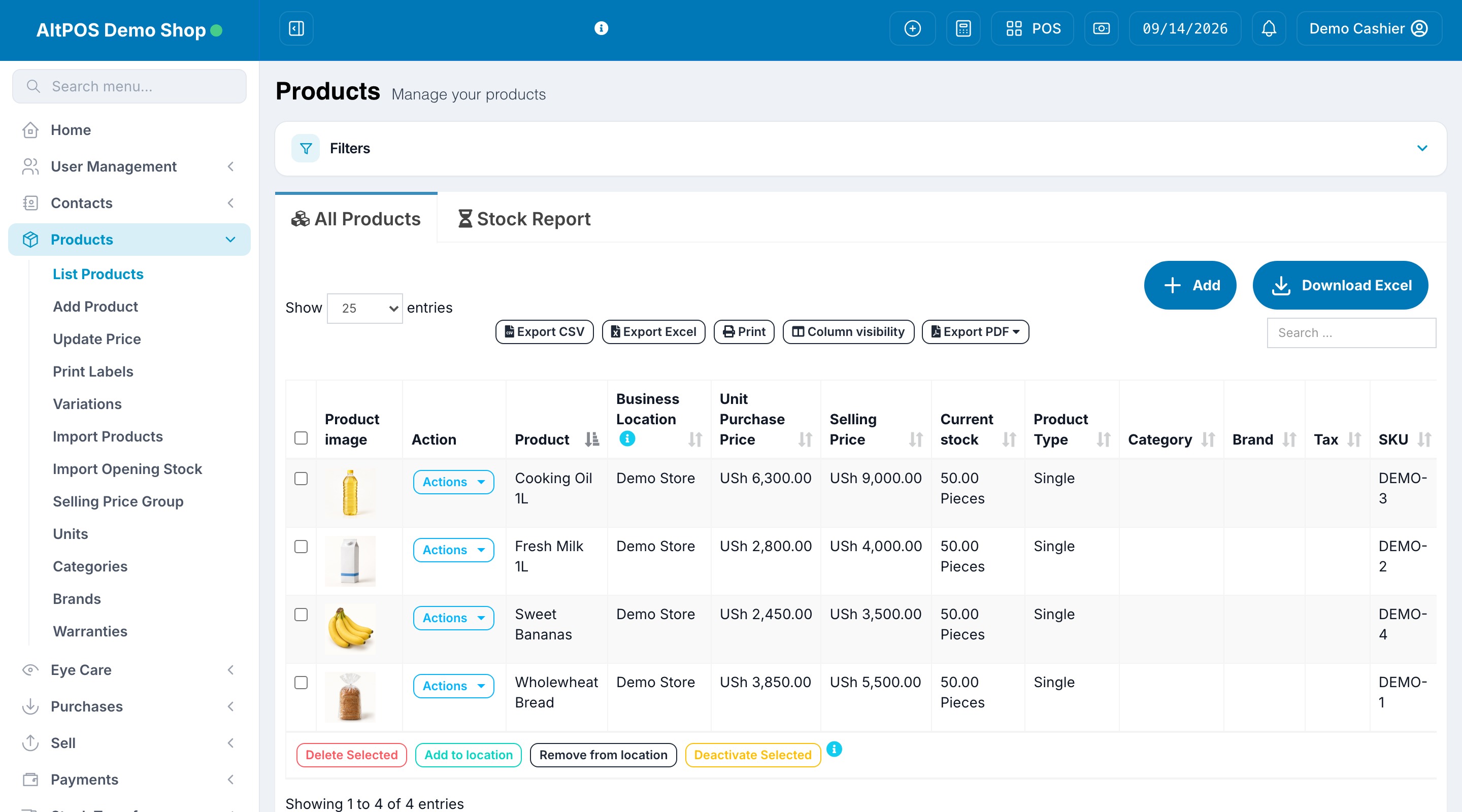
Product management
Keep product images, purchase prices, selling prices and location stock together.

FOLLOW THE WORK, NOT JUST THE FEATURES
Explore three everyday workflows. Then ask for a live demonstration with the products, locations and controls your team needs.
INSIDE THE ACTUAL APP
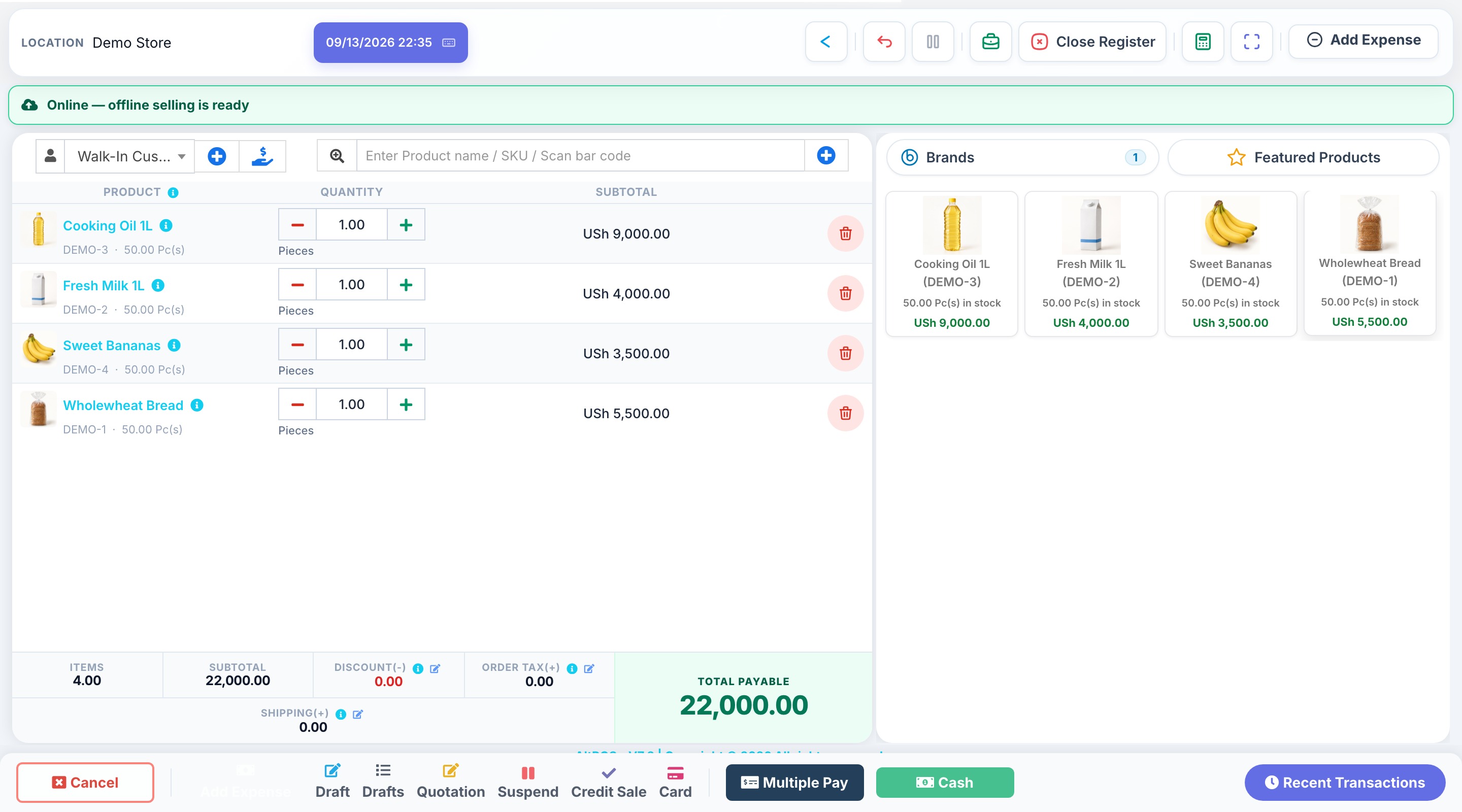
A real look inside the POS: image-based products, a clear basket and payment options in the same workspace.
LESS SEARCHING. MORE SELLING.
Product photos help your team find the right item. Choose products in the catalogue, review quantities and prices, then select how the customer pays.
Explore plans & trials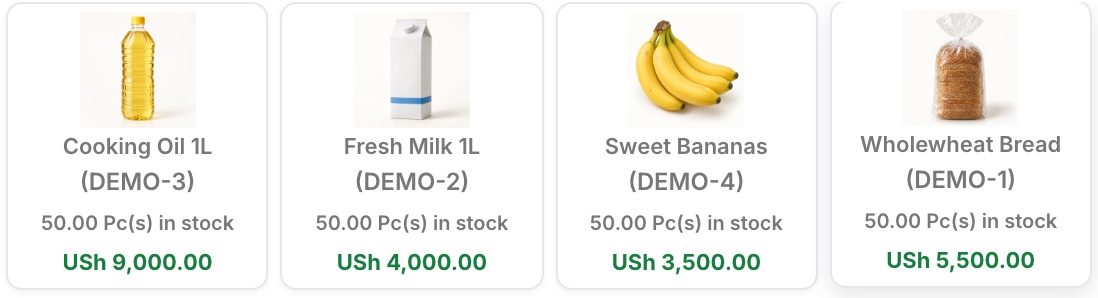
EXPLORE THE APPLICATION
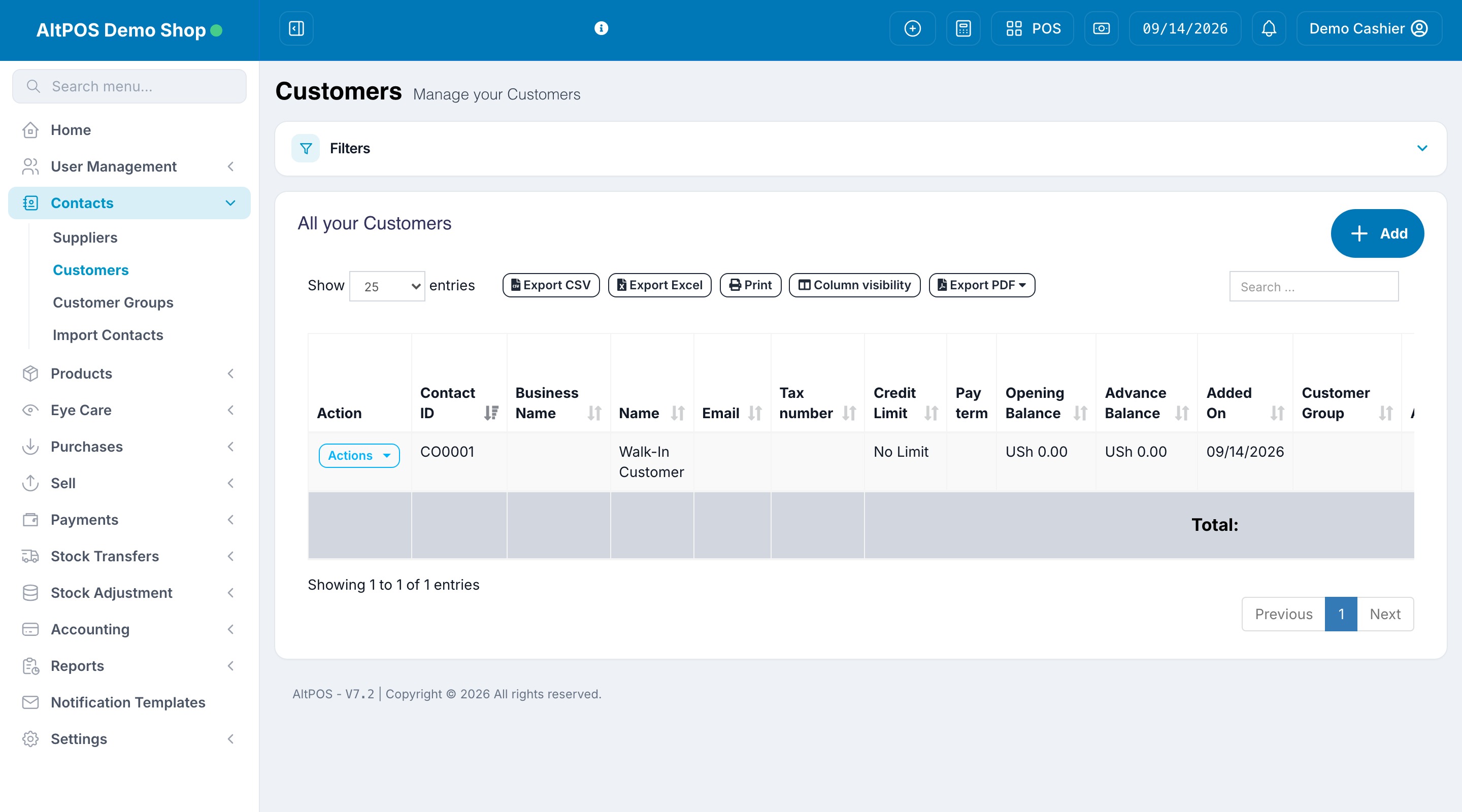
Explore the actual workspace your team uses to manage products, check stock, organise customers and review the business.
Keep product images, purchase prices, selling prices and location stock together.
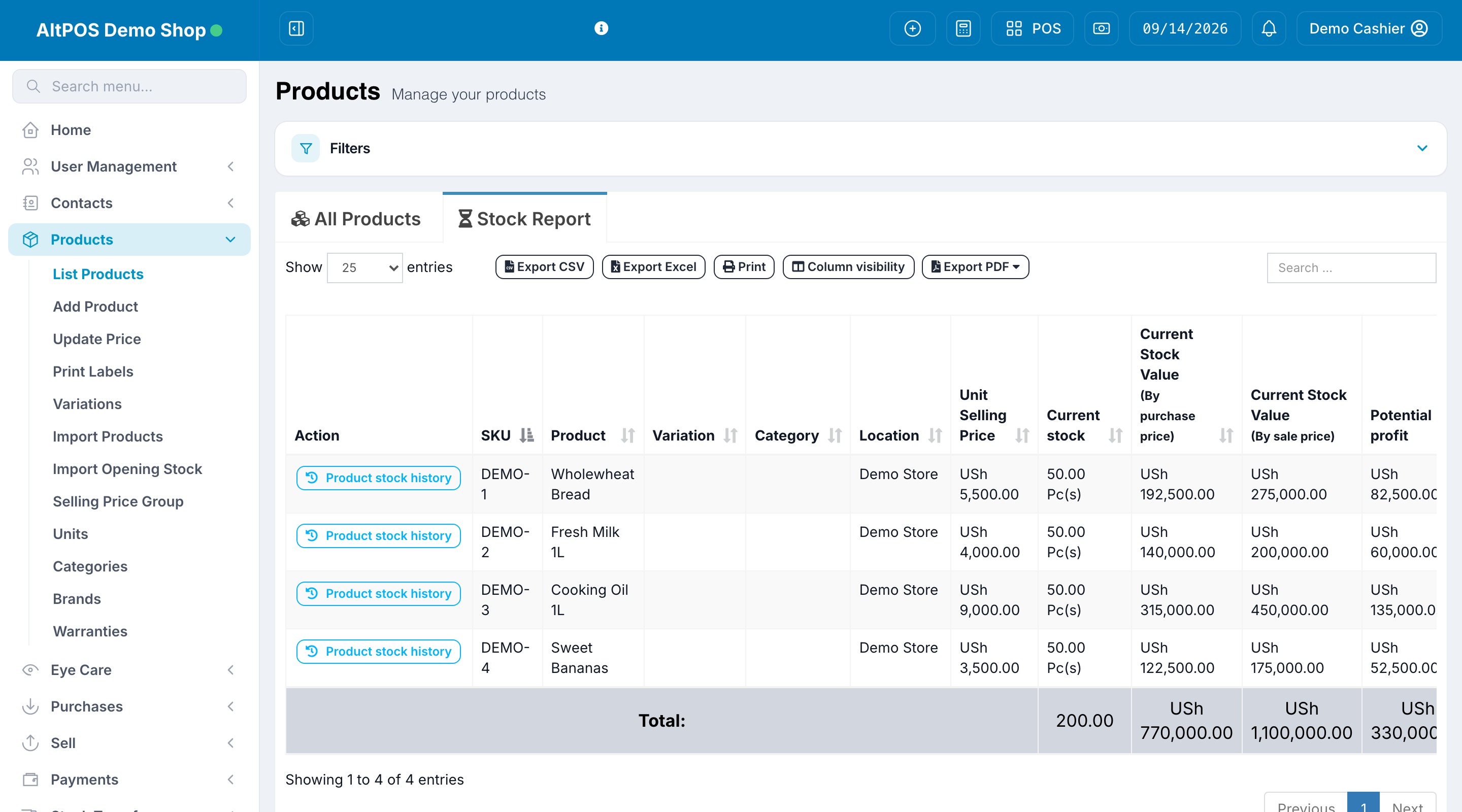
Review quantities, stock values and product stock history from the inventory view.
Organise customers, credit limits, opening balances and advance balances.
Open your workspace to sales, purchases, amounts due and date-filtered trends.
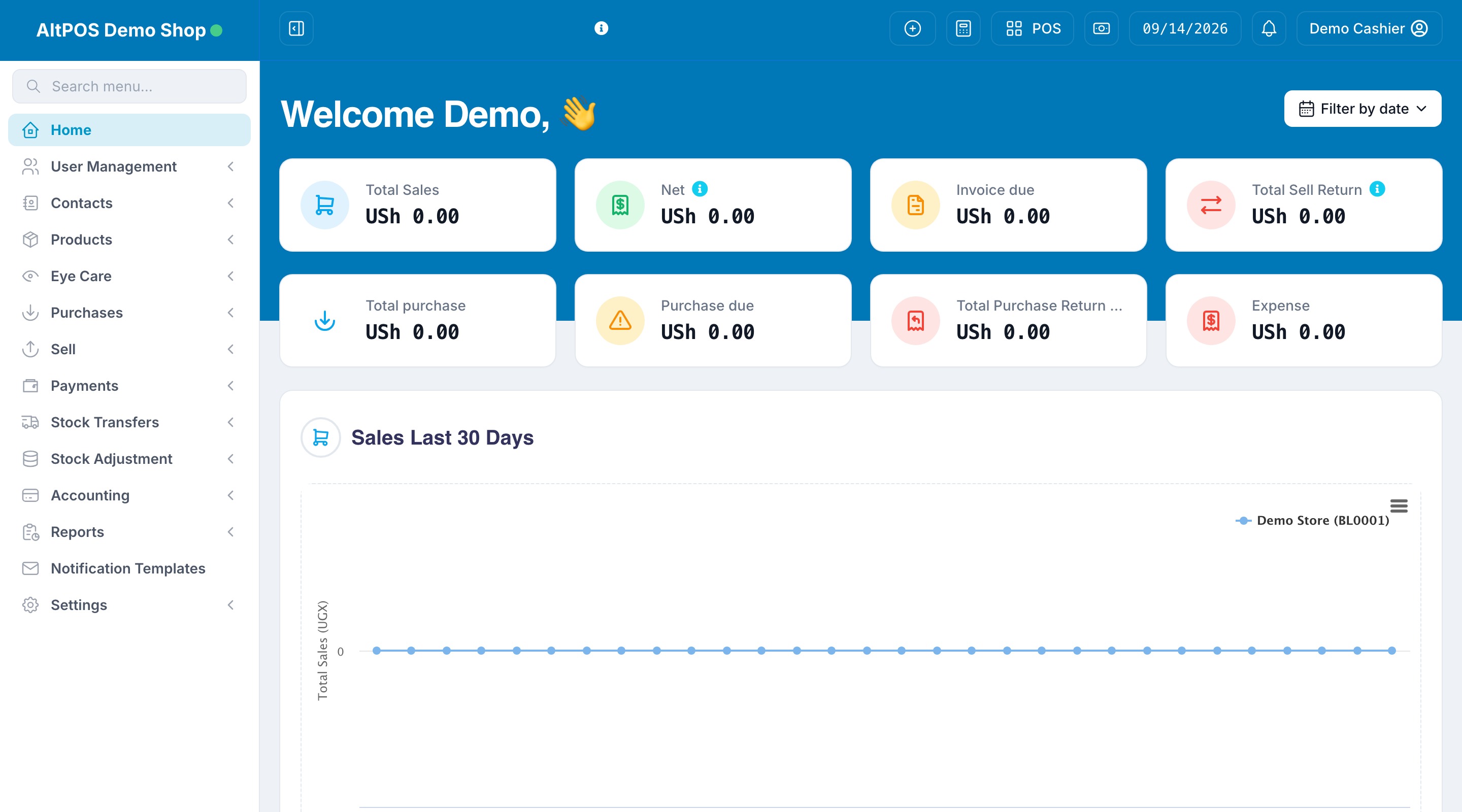
Actual web application screens from our isolated demo shop. Sample products and stock; no real customer data. The dashboard shows a new shop with no posted transactions. Available tools depend on your package and permissions.

We couldn’t play this video. Open it directly
GET THE BIGGER PICTURE
Watch a short visual introduction to selling, stock and getting started with your own business account.
Know your stock. Own your numbers. Connect sales, inventory and customer balances. Work beyond the counter with mobile and desktop apps. Offline selling syncs when you reconnect; EFRIS submission needs an online connection. Register your business, choose a package and add your products and team. Trial access depends on the selected plan. This is an illustrative overview, not an app screen recording.
Original AI-created business scenes. Not customer photographs.
WORKFLOW OVERVIEW · NOT A LIVE ACCOUNT
Keep a customer’s purchase, payment and outstanding balance connected.
Create the sale and choose the customer.
Record the payment method and amount received.
Review the invoice and remaining customer balance.
WORKFLOW OVERVIEW · NOT A LIVE ACCOUNT
Follow purchases, sales, transfers and adjustments instead of guessing where a difference came from.
Receive products into the correct location.
Record sales and transfers as stock moves.
Compare the physical count and investigate differences.
WORKFLOW OVERVIEW · NOT A LIVE ACCOUNT
With the Van Sales module, connect the load, route sales, collections, banking and returned stock.
Issue stock to the van and record route activity.
Review collections and banking separately from cash held.
Enter the stock count and resolve settlement differences.
Illustrative workflows. Features depend on your package and installed modules.
See it with our teamLESS JUGGLING. MORE DOING.
Good things happen when every part of your business is on the same page.
SELL WITH CONFIDENCE
Keep checkout moving with point of sale, invoices and customer payments in one place.
STAY IN CONTROL
Track purchases, transfers and adjustments across your shops and warehouses.
BUILD RELATIONSHIPS
Use Reach for customer statements, reminders and campaigns. Channels require configured providers; availability and sending costs depend on your setup.
OFFLINE SELLING
Offline selling saves sales on your prepared device and syncs when you reconnect. Online payment authorisation and EFRIS submission still need a connection.
MOBILE APP
Our mobile app brings selling and business workflows to your team’s devices. Ask for a mobile demo and the right app setup for your roles and package.
URA EFRIS MODULE
Use the EFRIS module for invoice fiscalisation, goods mapping and submission tracking. Requires your business’s EFRIS configuration and an online connection.
EXPLORE YOUR TOOLKIT
Start with sales and stock, then choose the specialist tools your team needs. Availability depends on your package, enabled modules and staff permissions.
Barcode-led selling, quotations, invoices, discounts, customer payments, receipts and sales returns.
Products, variations, units, batches, expiry dates, opening stock, transfers and reasoned stock adjustments.
Supplier accounts, purchase orders, received purchases, purchase returns and payment records.
Follow invoices, customer balances, payments and statements so your team can see what is still owed.
Track expenses, payment accounts, reconciliation and sales, stock and profit reports. Figures depend on the records entered.
Set up locations, users and roles. Give staff access to the records and actions appropriate to their work.
Issue stock, record field sales and collections, review banking, count returns and resolve differences before settlement.
Invoice notifications, statements, reminders and marketing campaigns through configured SMS, WhatsApp and email providers.
Configure report schedules and recipients, preview the report and send business updates through configured delivery channels.
Patient histories, appointments, examinations, optical records, attachments and sales linked to prescriptions.
Tables, bookings, orders, modifiers and kitchen views for hospitality teams with restaurant features enabled.
Mobile and desktop applications, offline selling, the Connector API and the EFRIS module extend your business workspace. Configuration and module access apply.
YOUR BUSINESS ISN’T ONE-SIZE-FITS-ALL
A corner shop, a busy warehouse, a team on the road. Start with the tools that fit the way you work.
EVERYDAY COMMERCE
From the counter to the back room. Keep sales and stock connected.
BIGGER POSSIBILITIES
Keep an eye on stock, customer credit and collections as orders grow.
BEYOND THE COUNTER
Manage van loads, route sales, banking and settlement with Van Sales.
PRODUCT & EXPIRY CONTROL
Manage product stock, batches, expiry dates, suppliers and customer accounts. Confirm any specialist dispensing requirements with us.
FROM ORDER TO KITCHEN
Organise tables, orders, modifiers and kitchen workflows with the restaurant features enabled.
ACROSS YOUR LOCATIONS
Manage product variations, units, location stock, customer credit and transfers between branches.
SELF-SERVICE SETUP
Register your own business through the application — you do not need us to create it for you. Choose an available trial or free package to explore in your own workspace, or ask for a guided demo.
Choose an available package, enter your business and location details, and create your administrator account. Register on the web or in the Android app. On iPhone, sign in to an existing business account.
Set your currency and business preferences, add or import products, record opening stock and invite the staff who will use the system.
Use your selected plan’s trial or free access where offered to try your workflow. Check opening balances and device setup before going live. Our team can guide you if you need help.
Create your own business account. Trial access and duration are shown on eligible packages.