Practical guides
From table to receipt: a clearer restaurant handover
Follow restaurant orders from the table to kitchen preparation, service and checkout. A practical team checklist with a Funa restaurant demo.
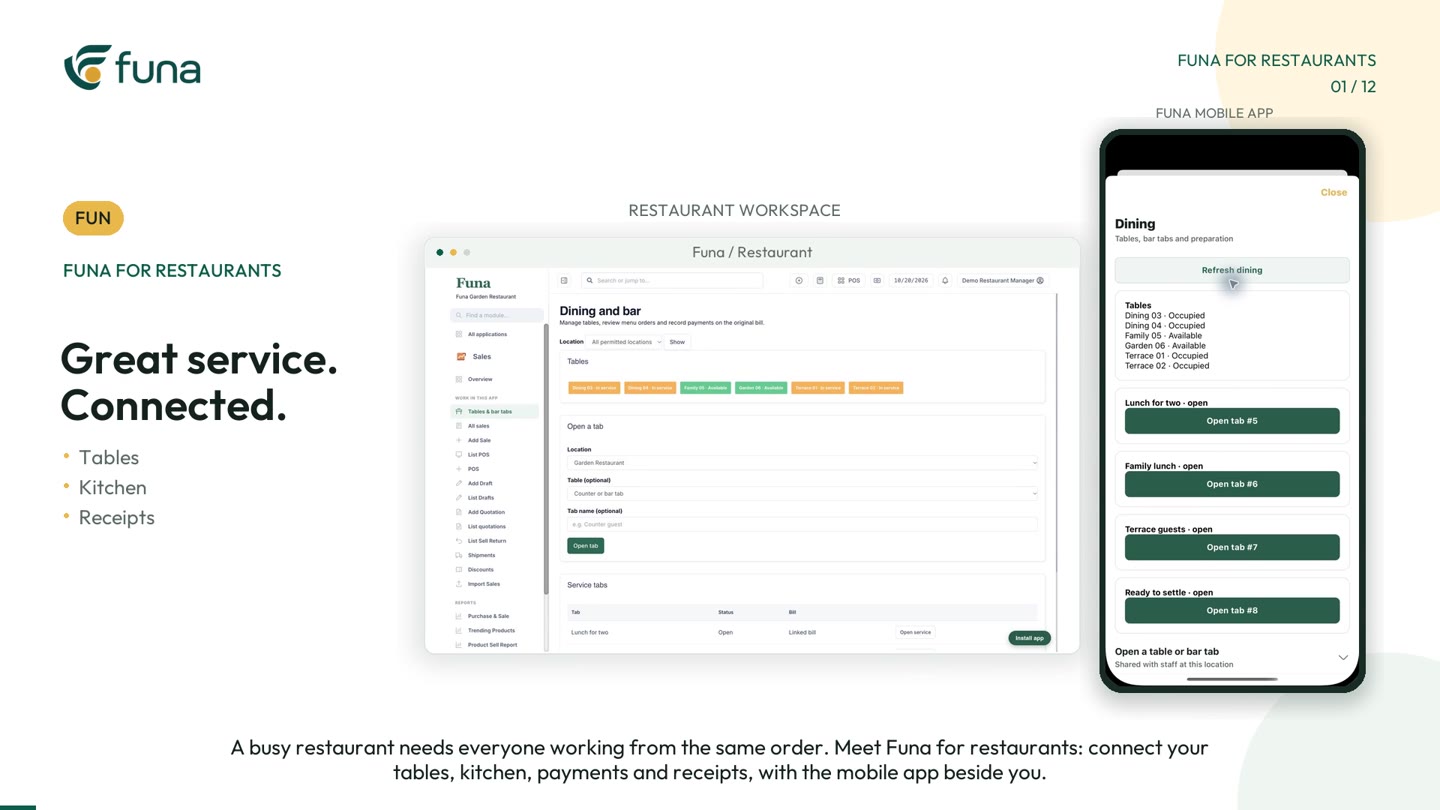
Watch the demonstration: Play the Funa restaurant video (opens a video player; demonstration data).
A restaurant can have a clear menu and still struggle with unclear handovers. A guest adds another drink. A preparation note does not reach the kitchen. The cashier sees a bill but cannot tell whether the latest round was included. These are moments where the team needs a shared order, not another verbal reminder.
The Funa restaurant demonstration follows a table through ordering, preparation and checkout. Use it alongside this guide to discuss how your own team passes information between the dining area, kitchen, bar and cashier.
Start with a recognisable table or tab
Before taking an order, make sure the team knows which table or counter tab it belongs to. Agree table names that staff can recognise quickly. An open tab should have a clear purpose; it should not become a holding place for unrelated transactions.
In the demonstration, the dining view shows available tables and tables in service. Staff can open the relevant table and keep the guest's order together. The important operational habit is checking that context before adding an item.
Review each new round
When guests order more, confirm the item, quantity and current price before adding the round. The demo shows an additional order staying on the original bill rather than becoming a separate sale. That makes the table's history easier to follow.
Teach the team how to distinguish a new request from a correction to an earlier request. A cancelled item, a duplicate entry and another serving are not the same event. Decide who may correct the record and how they should explain the change.
Send preparation work to the right place
Food and drinks may be prepared by different teams. Funa's demonstration routes items to the kitchen or bar while keeping the round attached to its table. Earlier rounds remain separate from the new work, so preparation staff can see what has just arrived.
Useful notes belong with the relevant item. A request such as “sauce on the side” should not rely on the waiter finding the right person at the right moment. Keep notes concise, confirm them with the guest where needed and follow your restaurant's established food-safety procedures.
Make readiness visible
The kitchen queue in the demo shows table names, quantities and preparation notes. Items move from queued to preparing to ready, and the dining view reflects the update. Agree who is responsible for each status change. A status is useful only if it matches what is actually happening.
- Who checks incoming preparation work?
- Who marks the item ready?
- Who notices that update and takes it to the guest?
- What should happen if an item cannot be prepared?
Rehearse those handovers with a small test table before using the process during a busy service.
Separate service completion from payment
A served table is not necessarily a paid table. At checkout, review the complete bill, confirm the payment and check the receipt details. Test your actual receipt device and settings during setup instead of assuming every printer behaves the same way.
At the end of service, inspect open tables, unpaid bills and corrections. Give each unresolved item an owner. This is a short operational review, not a reason to rush staff into marking incomplete work as finished.
Run a five-part team rehearsal
- Open a test table and add a simple order.
- Add another round with a preparation note.
- Send food and drinks to the appropriate stations.
- Follow the preparation and service statuses from both sides.
- Review the full bill, record payment and inspect the receipt.
The video uses fictional restaurant data and illustrative prices. Available modules, mobile access and printing depend on your setup. When arranging a Funa demonstration, bring your table plan, menu structure and a realistic handover problem so the conversation stays focused on your restaurant's daily work.
Continue the series
Better pharmacy stock records, one batch at a time
For the implementation perspective, read A restaurant POS rollout starts with the handovers.