Practical guides
Better pharmacy stock records, one batch at a time
Organise product codes, batches, expiry dates and stock reviews. An operational checklist for pharmacy teams, with a Funa product demonstration.
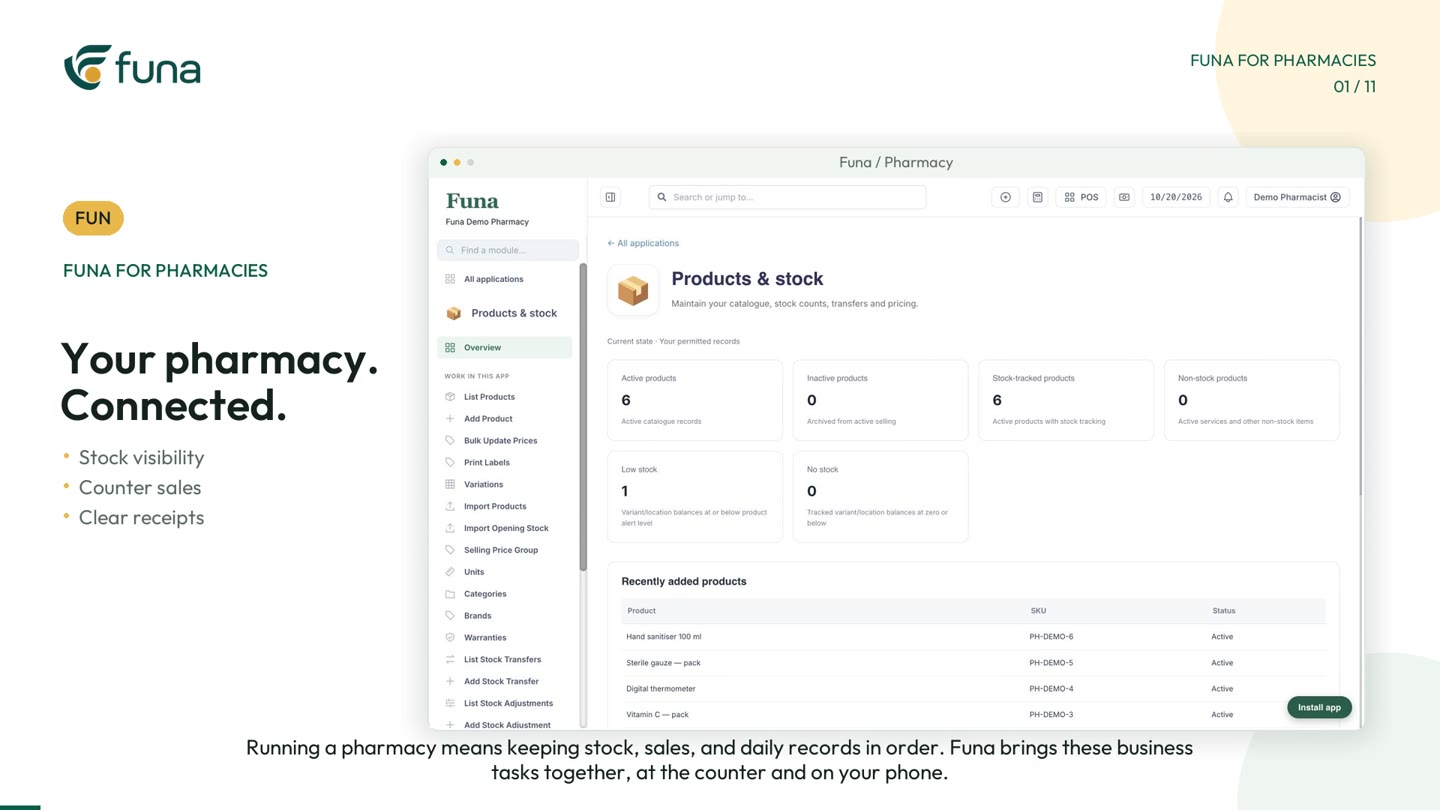
Watch the demonstration: Play the Funa pharmacy video (opens a video player; demonstration data).
Knowing the total quantity of a product is a useful start. Knowing which batches are available, when they expire and how the recorded quantity compares with the shelf is more useful for day-to-day pharmacy operations.
This guide covers business records and stock-handling workflows. It is not clinical advice or a substitute for professional judgement, dispensing procedures or local regulatory requirements. The accompanying Funa video uses demonstration data to show product records, batch visibility, checkout and receipts.
Give each product a clear identity
Begin with a consistent catalogue. Use clear product names, stock codes and units so staff do not choose between several nearly identical entries. Where different pack sizes or product variants exist, decide how each one should be represented before entering opening quantities.
Check purchase costs and selling prices separately. A missing cost can distort a business report even when the selling price looks correct. Assign someone to review catalogue changes rather than allowing duplicate products to accumulate unnoticed.
Keep batch and expiry records together
Record the batch information and expiry date alongside the relevant stock. In the Funa demonstration, the expiry report shows batches and remaining quantities. That gives the team a starting point for identifying records that need attention.
A report is not a physical inspection. Compare selected records with the actual stock, follow the pharmacy's approved procedures and investigate differences. Do not assume that entering a date alone establishes compliance or replaces the checks required by a responsible professional.
Review exceptions before the next order
Build a short, regular review around products with low recorded quantities, batches requiring attention and unexplained stock differences. The demo shows stock indicators and catalogue quantities that can inform that discussion.
- Is the quantity recorded against the correct product and unit?
- Does the batch reference match the physical stock?
- Is the expiry information complete and credible?
- Who will investigate or correct an exception?
Use the findings when preparing a supplier order. The objective is a better-informed replenishment decision, not an automatic assumption that every low-stock signal requires an immediate purchase.
Make the counter record traceable
At checkout, find the intended product, select the relevant batch where needed and review the quantity and price. In the video, those details lead to a clear total before the payment is recorded.
The resulting receipt provides an itemised reference for later follow-up. Preview your receipt layout and check the business information before using it with customers. Mobile receipt sharing and printing depend on the configured workflow and compatible equipment.
Keep personal information out of demonstrations
A product demonstration does not need real patient details, prescriptions or private customer histories. Use fictional examples when training staff or sharing screenshots. Limit system access to the records and actions each role needs, and review that access when responsibilities change.
These are practical information-handling habits, not a claim that software configuration alone meets every privacy or professional obligation. Confirm the requirements that apply to your organisation separately.
Start with a small stock-record exercise
Choose a manageable selection of products. Confirm names, codes, units, purchase costs, batches, dates and opening quantities. Rehearse receiving stock, finding a batch at checkout, reviewing a receipt and checking the resulting records.
Ask the person who maintains the catalogue and the person who works at the counter to review the exercise together. Their questions will often reveal a naming or unit problem before it spreads through the full catalogue.
Funa's pharmacy demonstration is a starting point for that discussion. Plan and configuration determine which features are available. Bring your operational requirements to a demo, use fictional examples, and judge the workflow by whether your team can understand and maintain the records reliably.
Continue the series
Close the loop on every van sales trip
For the implementation perspective, read Prepare pharmacy inventory data before a system move.